Login to Google
Complete Google Authentication Guide for YT Uploader
After successfully setting up your YouTube Data API v3 credentials, the next crucial step is logging into Google within YT Uploader to authenticate your account and access your YouTube channels.
Prerequisites Before Login
Before attempting to login to Google in YT Uploader, ensure you have:
✅ Created Google Cloud Project with YouTube Data API v3 enabled
✅ Generated OAuth 2.0 credentials (JSON file downloaded)
✅ Configured OAuth consent screen properly
✅ Imported API credentials into YT Uploader
✅ Valid Google account with YouTube channel access
Step-by-Step Google Login Process
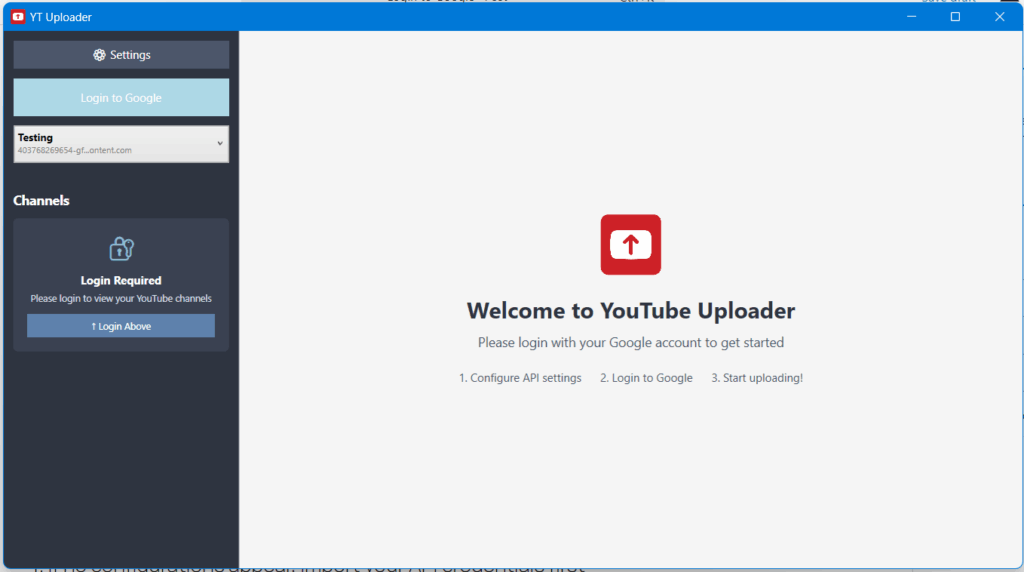
Step 1: Launch YT Uploader
- Open YT Uploader from your desktop shortcut
- Wait for the application to fully load
- You should see the main interface with login options
Step 2: Select API Configuration
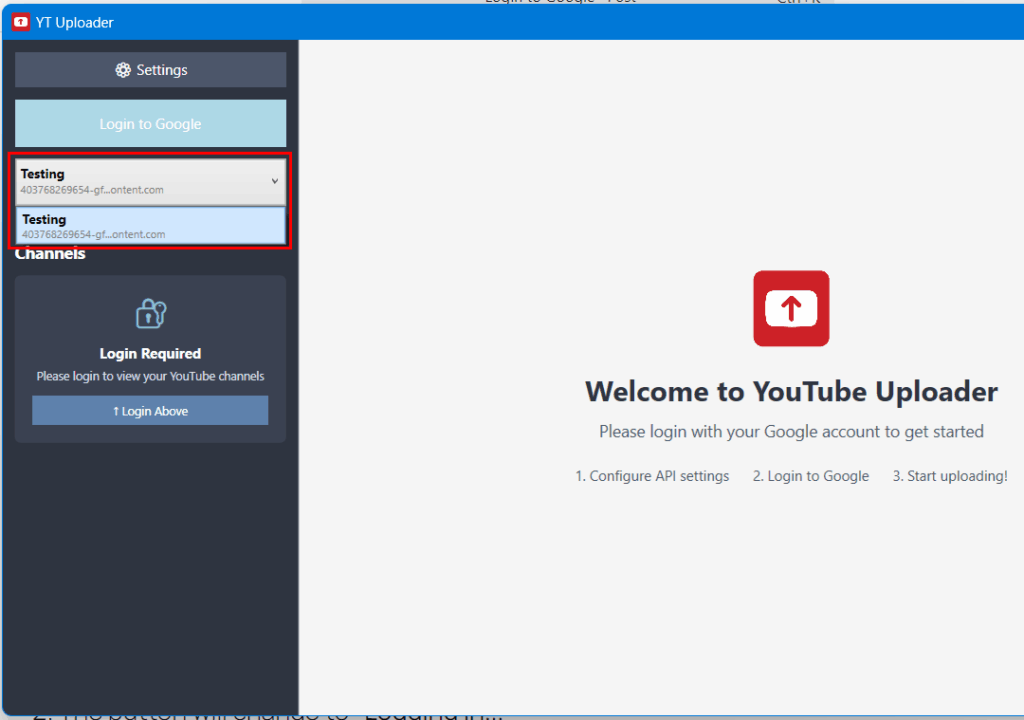
- Locate the API Configuration dropdown in the left navigation panel
- Select your imported API configuration from the dropdown menu
- The configuration should show:
- Configuration name you created
- Client ID preview (partially masked)
- If no configurations appear, import your API credentials first
Step 3: Initiate Google Login
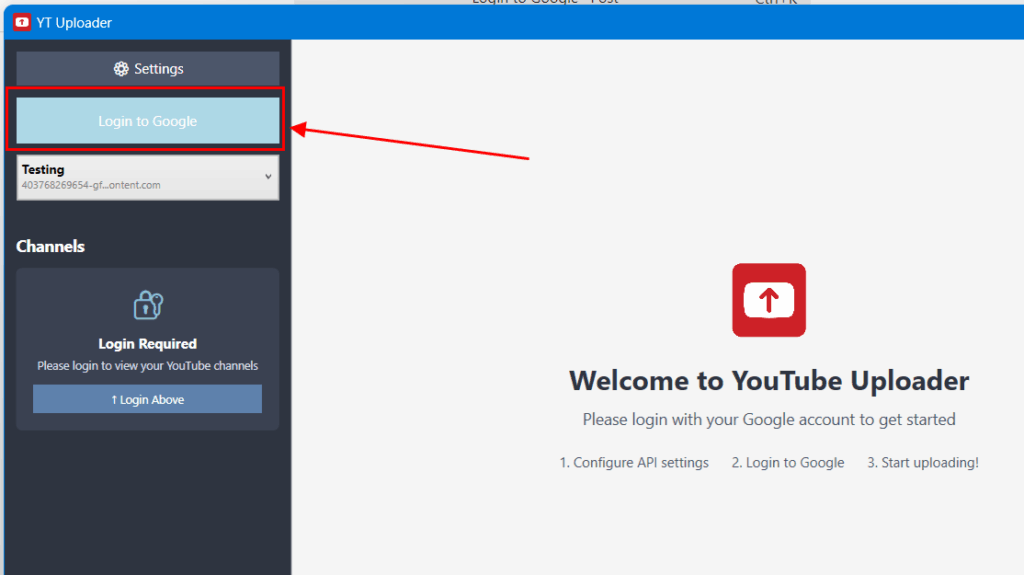
- Click the "Login to Google" button (blue button in left panel)
- The button will change to "Logging in..."
- A Google OAuth authorization window will open in your default browser
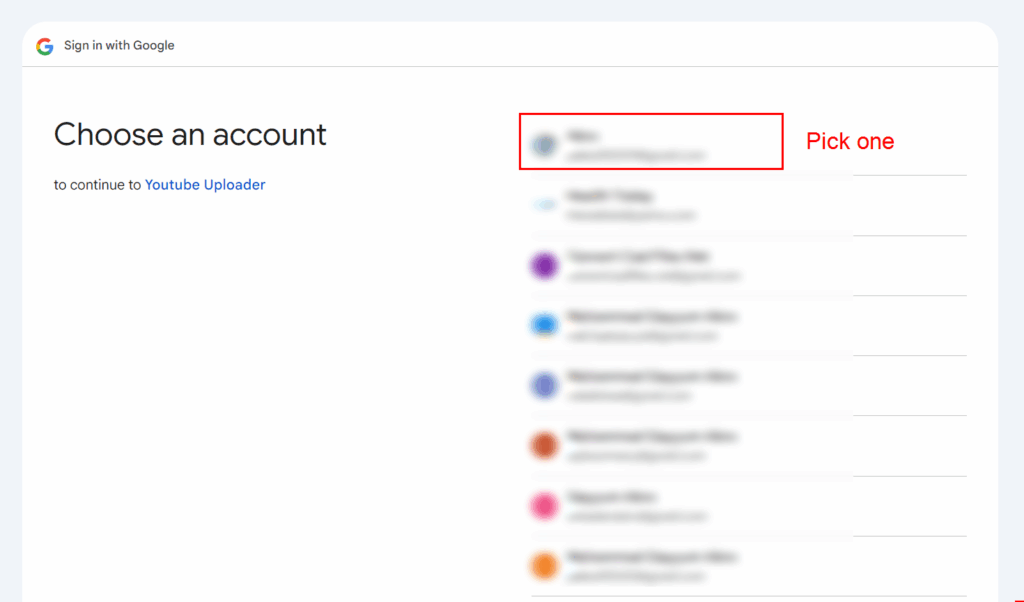
Step 4: Google Account Selection
- Choose your Google account from the list
- If not logged into Google, enter your credentials:
- Email address or phone number
- Password
- Complete 2FA verification if enabled
Step 5: Grant Permissions
The OAuth consent screen will request permissions for:
YouTube Data API Scopes:
- ✅ View your YouTube account (
youtube.readonly) - ✅ Manage your YouTube videos (
youtube) - ✅ Upload videos to YouTube (
youtube.upload) - ✅ View and manage YouTube channel (
youtube.force-ssl)
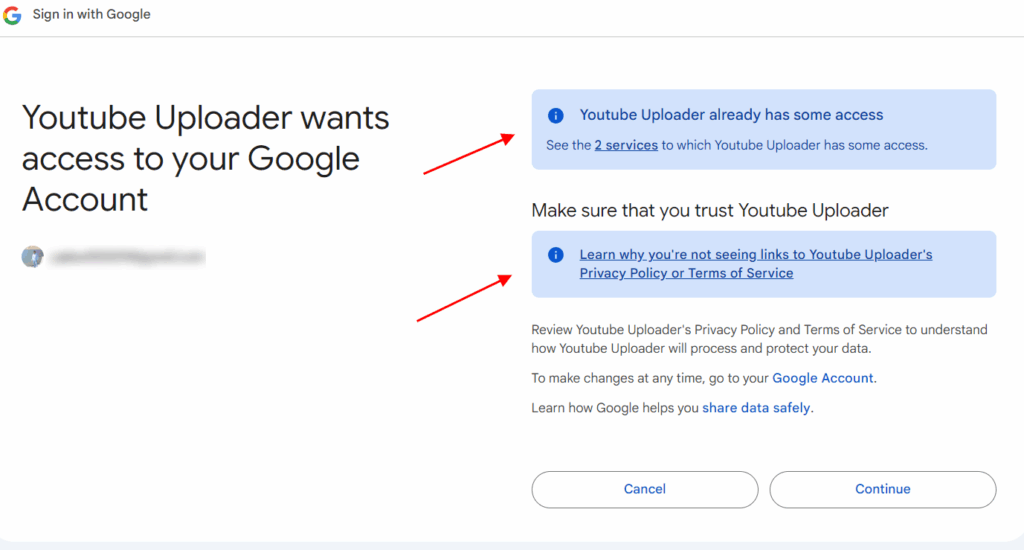
Important: Click "Allow" to grant all requested permissions. Denying any permission will prevent full functionality.
Step 6: Complete Authentication
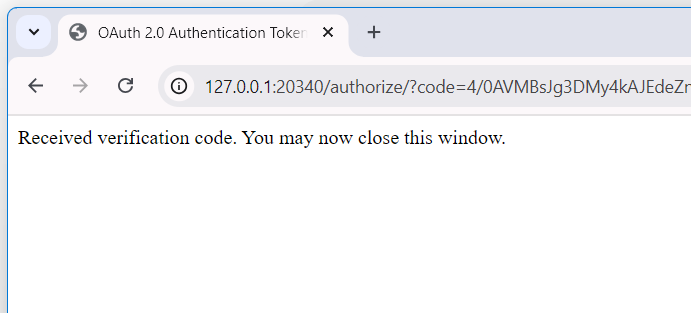
- After granting permissions, you'll see "Authentication successful"
- Close the browser window (or it may close automatically)
- Return to YT Uploader
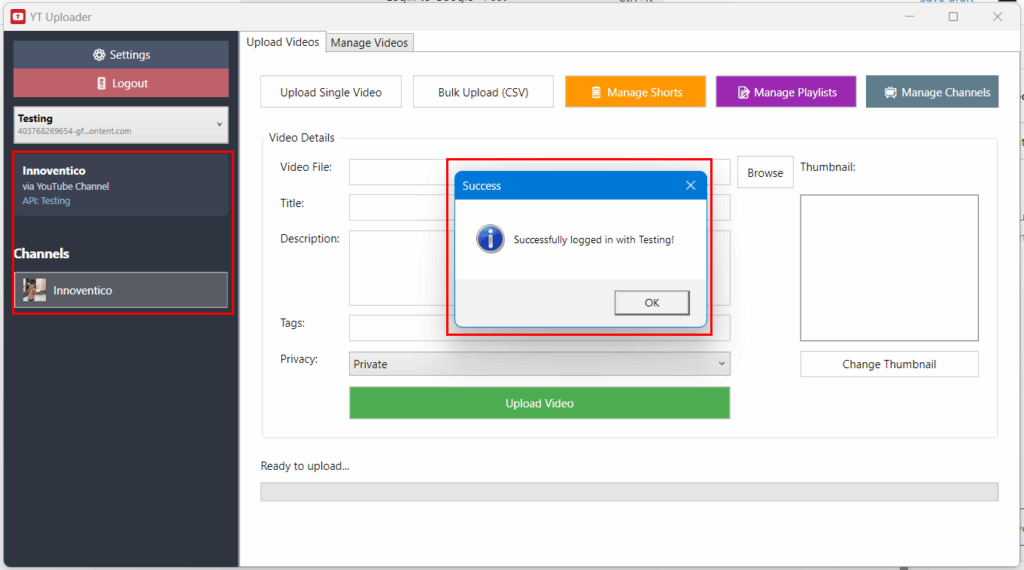
Step 7: Verify Successful Login
Upon successful authentication, you should see:
- Login button disappears
- "🚪 Logout" button appears
- User info panel shows:
- Your channel name
- Authentication status
- API configuration name
- Quick Actions panel becomes visible
- Channel list populates in left navigation